
Every organization has a front-door ritual. Hotels have the marble desk and the room key. Offices have the badge printer that jams. Your museum, gallery, or church probably has a clipboard, a pen on a string, and a volunteer named Doreen who knows everyone anyway.
A guest check-in system is that ritual, turned into software: a tool that records who arrives, when, and why — then keeps a live list of who's inside, notes when they leave, and turns the whole thing into data you can actually use. If you've ever wondered how the iPad-on-a-stand at a nicer lobby actually works behind the glass, this is the guided tour. No engineering degree required; the machine is genuinely simple, which is the best thing about it.
What is a guest check-in system, exactly?
A guest check-in system (the same creature also answers to "visitor check-in system," "guest management system," "visitor sign-in system," and "electronic check-in" — vendors love a synonym) is any setup that captures guest arrivals and departures digitally instead of on paper, and then does something useful with the record.
That last clause is the important one. A digital sign-in sheet captures the entry; a check-in system wraps a process around it — live occupancy, sign-outs, notifications, reports. The sheet is the guest book. The system is the guest book plus a librarian who never sleeps.
You'll find these systems everywhere from corporate towers (badge printers, NDAs, watchlists) to two-room galleries (an iPad and a smile). The mechanics are the same at both ends of that spectrum. The pricing, mercifully, is not.
How a guest check-in system works, step by step
Here's the whole lifecycle of one visit, from sidewalk to spreadsheet.
1. The guest arrives and starts check-in
There are three common front doors, and most systems offer at least two:
- A tablet kiosk. An iPad on a stand near the entrance, locked into the sign-in screen. The guest taps and types. This is the option strangers understand without instructions, which matters more than any feature list.
- A QR code. A laminated code by the door; guests scan it and a sign-in form opens in their phone's browser. No app, no account, no hardware beyond the laminator you borrowed.
- A staffed check-in. A greeter or front-desk person enters the guest on their own screen. Common where the human welcome is the point — churches have been running this protocol since before software existed.
Some systems add pre-registration for expected guests: a tour group leader or meeting host registers names in advance, and arrival becomes a single tap or scan instead of a queue of people typing.
2. The guest answers a few questions
Name, reason for visit, maybe who they're here to see. A good check-in flow takes under fifteen seconds; anything longer and you've built a toll booth, not a welcome. (More on which fields earn their place below — the short version is: fewer than you think.)
3. The system creates the record and tells whoever needs to know
The moment the guest taps "done," the system writes a timestamped entry to a database. If the visit has a host — a meeting, a contractor, a school group coordinator — the system can notify that person instantly, which retires the ancient art of the receptionist walking down a hallway shouting a name. Corporate setups may also print a visitor badge here; small organizations mostly skip that part, because a name sticker at a Tuesday watercolor class reads as a little much.
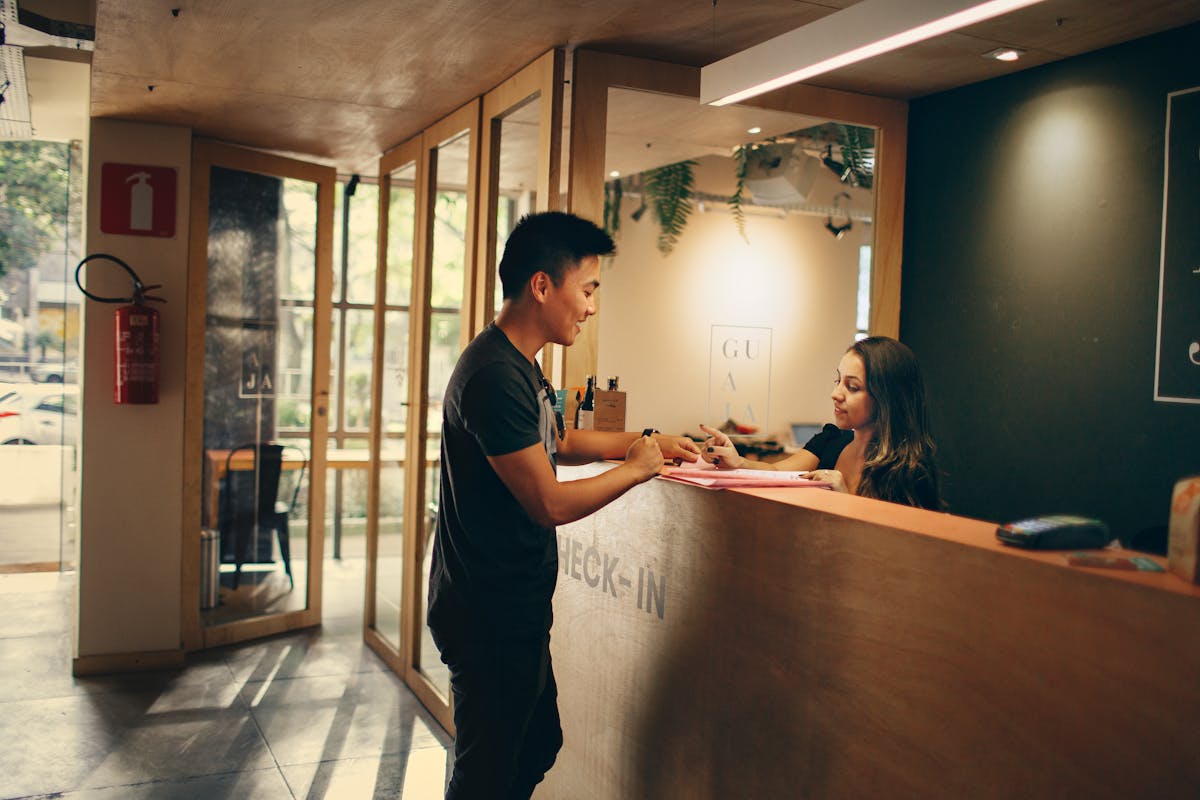 Hotels spent a century perfecting this moment. Software borrowed the good parts and skipped the marble. Photo by Helena Lopes on Pexels.
4. While they're inside: the live roster
This is the part paper never had. Every checked-in guest appears on a live "currently here" list, viewable from any phone or laptop. On an ordinary day it's a nice-to-have. During a fire drill it's the whole ballgame: OSHA's emergency planning guidance expects you to account for people during an evacuation, and a live roster in your pocket beats a clipboard bolted to the desk you just evacuated past.
5. The guest signs out
On the way out, one tap. This gives you visit duration, keeps the live list honest, and answers questions like "did the boiler contractor actually leave on Tuesday?" Nobody in recorded history voluntarily signed out on paper; digital systems fix this with an obvious button, gentle kiosk prompts, or auto sign-out at closing time for the guests who float out the door mid-conversation.
6. The visit becomes data
Every check-in and check-out accumulates into the reporting layer: visitors per day, busiest hours, visit reasons over time, first-timers versus regulars. For a small museum or nonprofit, this is the difference between a grant application that says "we believe attendance is strong" and one that says "4,212 visitors last quarter, up 18%." Funders can smell the difference from across the room.
That's the full loop. Arrival, record, roster, exit, report. No blockchain, no AI concierge. A very good filing clerk who happens to be made of software.
The moving parts, in one table
If you like knowing what's under the hood:
| Part | What it does | What guests see |
|---|---|---|
| Sign-in front end | Kiosk, QR form, or staff screen that captures the entry | This is the only part they see |
| Database | Stores every visit, timestamped and searchable | Nothing |
| Notifications | Alerts a host or staff member on arrival | Nothing (their host just appears, suspiciously punctual) |
| Live occupancy view | Real-time list of who's currently inside | Nothing |
| Reporting | Counts, trends, exports for boards and grants | Nothing |
Notice the pattern: guests interact with exactly one piece for fifteen seconds. Everything else works for you, silently, forever. That asymmetry is the entire value proposition.
What should the check-in actually ask?
The golden rule: collect what you'll use, skip what you won't. Every field is friction for the guest and liability for you — under privacy rules like the GDPR, personal data you didn't need is just risk you volunteered for. A solid baseline is name, time in and out (the system handles those), reason for visit, and an optional email for the mailing list. Corporate offices bolt on ID scans and NDA signatures; if you run a gallery, you may officially skip that part with our blessing.
Different rooms want different questions, of course. Museums add membership status and how-did-you-hear-about-us. Churches lean toward first-time-visitor flags and follow-up requests. The system should let you change the questions without a support ticket.
Do you need special hardware?
Almost certainly not, and be suspicious of anyone insisting otherwise. A modern guest check-in system for a small organization runs on:
- A tablet you probably already own, in a $30 stand, locked into kiosk mode so guests can't wander into your email.
- Or no hardware at all, if you go QR-only and let guests use their own phones.
Badge printers, ID scanners, and access-control turnstiles exist, and they're genuinely useful in high-security buildings. They are also how a check-in quote grows a comma. We've written up what enterprise visitor systems cost if you enjoy that kind of horror story; the short version is that a museum front desk does not need the same machinery as a data center.
 The full hardware requirements of a warm welcome: one desk, zero turnstiles. Photo by cottonbro studio on Pexels.
The free DIY version (and where it cracks)
You can build a functional check-in front end today for zero dollars, and we'd be a dishonest tour guide not to say so.
Make a short Google Form — name, reason for visit, done — and either park it on a tablet or print a QR code linking to it. Responses land in a spreadsheet, timestamped and legible. For a small organization tracking arrivals, this genuinely works, and it's a massive upgrade over the clipboard.
But scroll back up to the step-by-step. A form gives you step 2 and half of step 3. It cannot do the rest:
- No sign-out, so no durations and no truthful "who's here" list — which was the fire-drill answer.
- No live roster, for the same reason.
- No notifications. Nobody gets pinged; Doreen still walks the hallway.
- No kiosk mode, so between guests the tablet displays a tempting path into your Google account.
- Reporting is you, manually, in a spreadsheet, every month, forever.
In other words: DIY gets you a digital sign-in sheet, not a check-in system. That's a fine place to start and a famously annoying place to stay. We've mapped the gap in detail in our Google Forms comparison. When the spreadsheet starts feeling like a part-time job, that's the cue for purpose-built software — Clerkcat, for instance, exists precisely for the museum, gallery, church, and nonprofit crowd that needs the whole loop without the enterprise sales call.
Frequently asked questions
How does a guest check-in system notify staff when someone arrives?
The record created at sign-in triggers an alert — usually an email, text, or dashboard notification — to whoever is hosting the guest or watching the front desk. It happens in the same second as the check-in, which is why hosts using these systems develop a reputation for uncanny punctuality.
Do guests need to download an app to check in?
No, and run from any system that says yes. Tablet kiosks require nothing from the guest; QR codes open a plain web form in the phone's browser. Your guests are here for the exhibit, not for onboarding.
What's the difference between a guest check-in system and a visitor management system?
Marketing, mostly. "Visitor management system" is the enterprise-flavored term and tends to bundle badges, watchlists, and access control. "Guest check-in system" is the same core loop — sign in, track, sign out, report — usually at friendlier scale. If a vendor uses both terms on one page, they employ an SEO person. (Hello.)
How long does check-in take with a proper system?
Ten to fifteen seconds for a first-time guest, less for regulars if the system remembers returning visitors. If your flow takes longer, you have too many questions, and the line forming at your front door agrees.
Can a guest check-in system work offline?
Good ones tolerate it: the kiosk keeps accepting sign-ins locally and syncs when the connection returns. Your Wi-Fi's mid-afternoon nap shouldn't mean losing an hour of visitor records.
How much does a guest check-in system cost?
Zero (a Google Form and stamina) to several hundred dollars a month (enterprise, per location, plus the badge printer). Small-organization tools sit in between at coffee-budget prices, running on a tablet you already own.
The whole machine, in one sentence
A guest check-in system is a fifteen-second front door for your guests and a tireless record-keeper for you: arrival, record, live roster, sign-out, report, repeat. The parts are simple, the loop is boring, and boring is exactly what you want guarding your front door.
If you'd like to watch the loop run without building it yourself, Clerkcat sets up in about ten minutes on the iPad in your drawer — leaving Doreen free to do what no software can, which is remember that it's your birthday.